★ 4.7·100K+ downloads · iOS, Android & web
Preview any mod on your actual car, before you buy.
Upload one photo. AI puts paint, wheels, wraps, body kits and tint on your car. Photoreal, in seconds.
Runs in your browser. No install and no subscription needed. Buy a single render, or take a plan and cancel anytime.
 BMW M4 · AI preview
Pearl White
Tap a color. This is the paint deck, running live.
Not a studio car
AI mod preview that works on the photo you already have.
This one was taken in an underground car park, under the one strip light above it, on a stock 3 Series with factory wheels. The build on the right was never photographed. It was rendered into that exact frame, carrying the same light, the same shadows and the same red wall behind it.
- Input
- One frame, no reshoot
- Place
- Underground car park
- Light
- One overhead strip, no studio
- Car
- Stock, on factory wheels
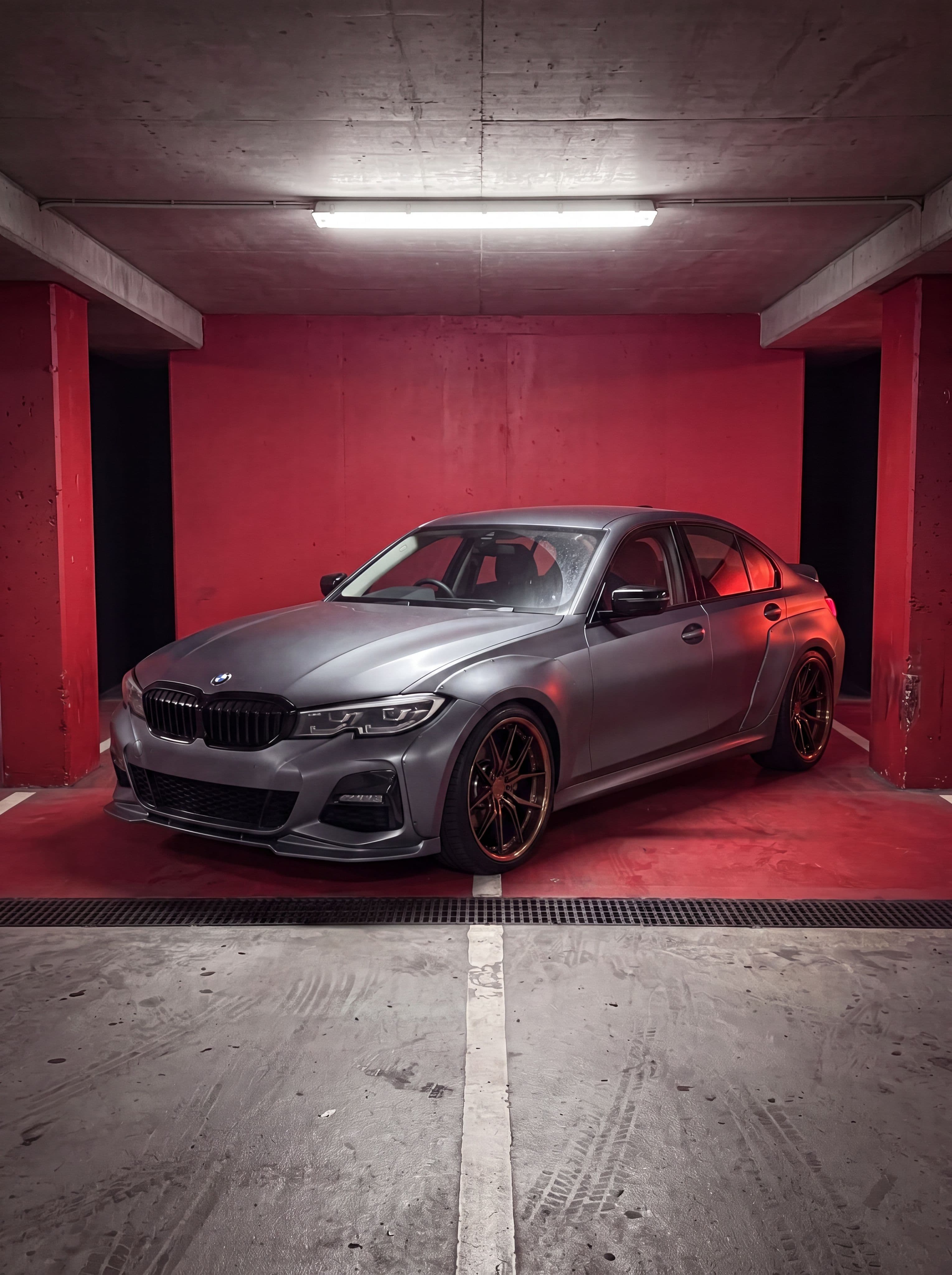
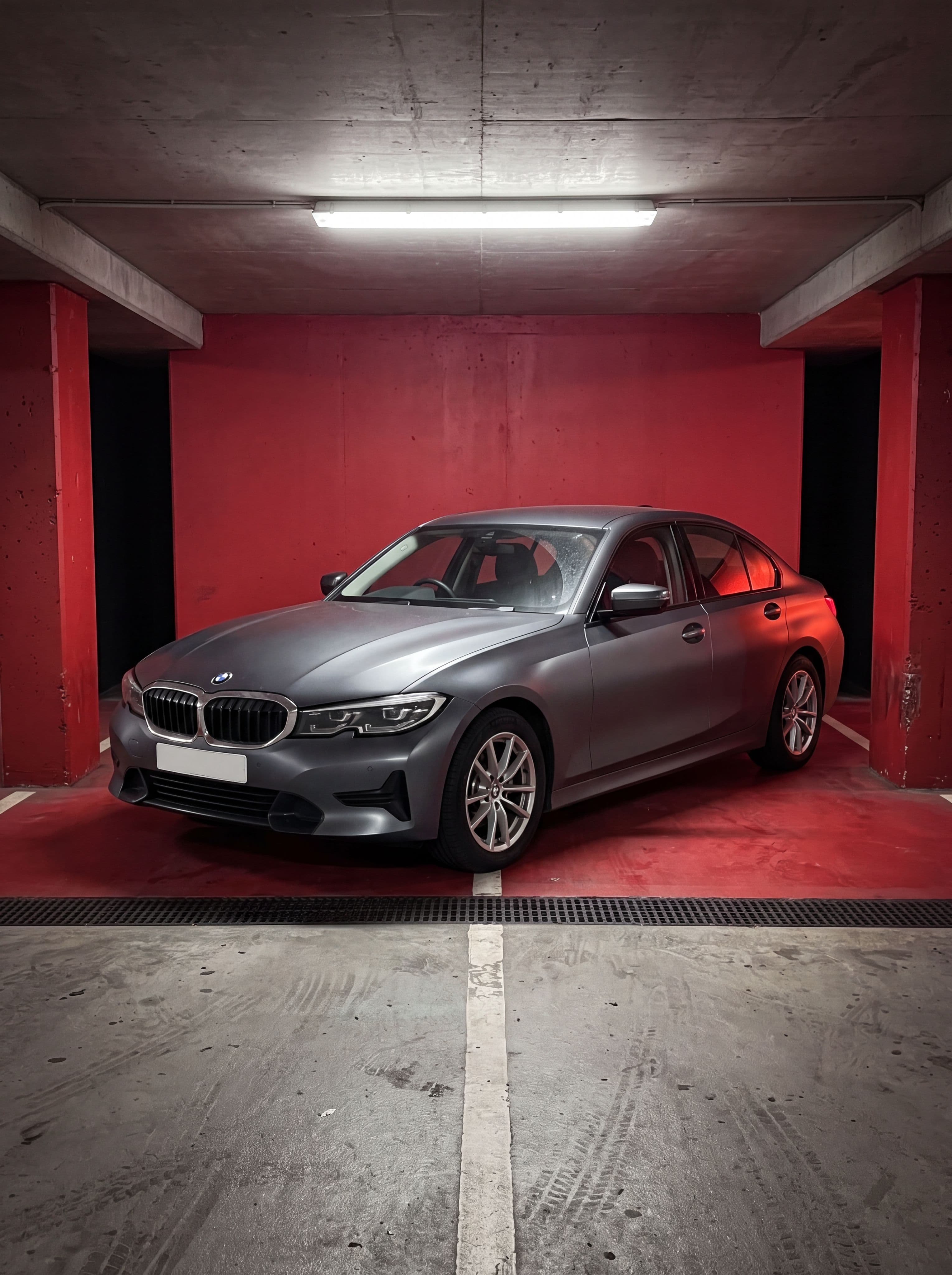
Drag the handle. Same frame, same light, same wall. Only the car changed.
Try it right here
Try the AI car customizer. Tap a finish, watch it change.
This is the same catalog the editor runs, on a sample car. No account, no install, nothing to sign up for. When you want it on your own car, that is one photo away.
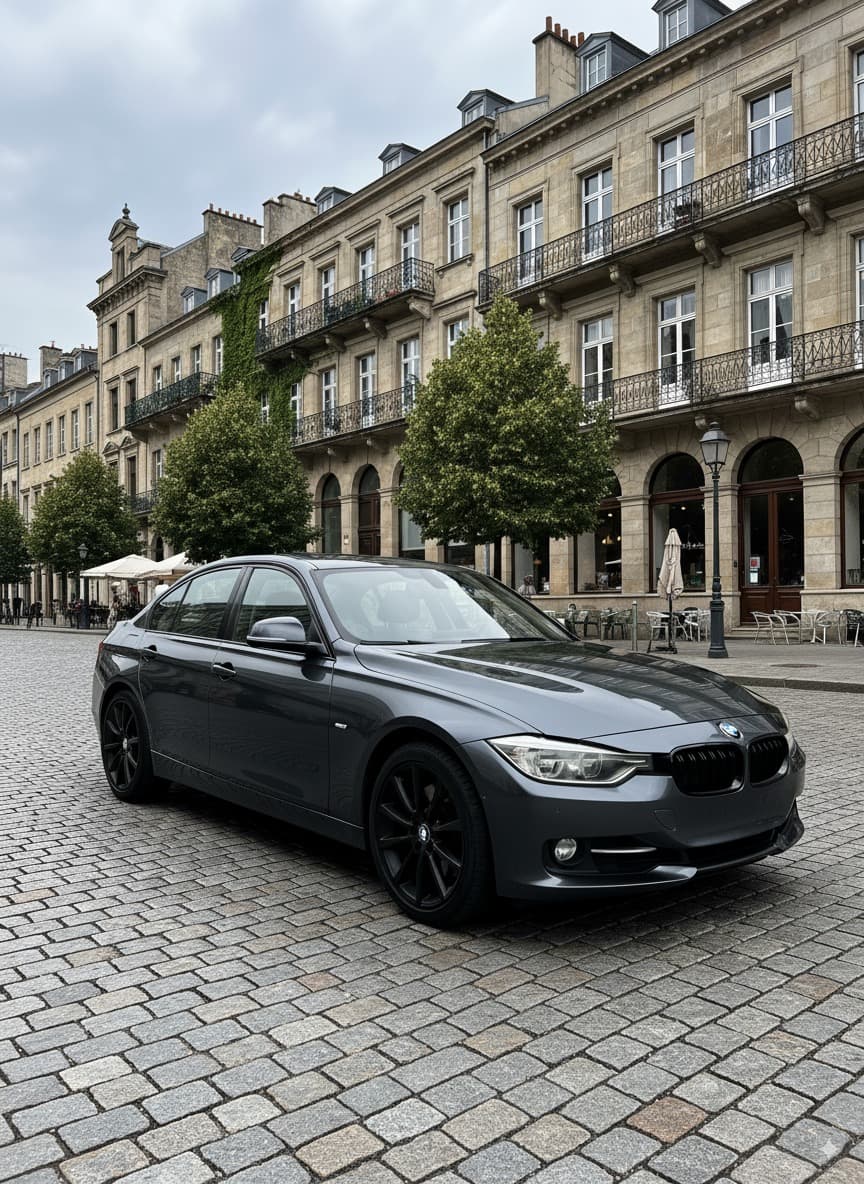 Sample car
Tap a finish to change the car
1 / 8
Twelve categories, 198 options
Car modification preview, from a color change to a full build.
 RM-02Rim & wheel swapAny wheel on your car with real fitment. Staggered 19s, correct offset, honest shadows.
 PT-01AI paint job & color changeChange your car's color to any finish. Matte, gloss, chrome, candy, 21 decks.
 BK-03Widebody kitsFenders, arches and a kit that actually sits right.
 WR-04Vinyl wrapsMatte, chrome, camo or custom.
 TN-05Window tintDial in the shade before the film goes on.
 SP-06Spoilers & wingsDucktails to GT wings, on your own decklid.
 HL-07HeadlightsHousings, halos and DRLs without a retrofit bill.
 NG-08Neon underglowAny color, any intensity, parked or rolling.
Already using another tool? See how Car Editor compares with 3DTuning, Formacar and Photoshop, or use it as an AI car photo editor for your own shots.
How it works
How Car Editor works: three steps, about a minute.
- 01
Upload your car
Any photo of your actual car. Your angle, your color, your driveway. Three-quarter shots read best.
- 02
Stack the mods
Wheels, paint, widebody, wraps, tint, spoilers, headlights, underglow. All of them on the same shot.
- 03
Decide with your eyes
Seconds later it is on your car, with its own light and shadows. Line up the options and buy the one that works.
Reviews
What Car Editor users actually say.
Every quote below is from a real 5-star Google Play or App Store review, with only spelling and grammar fixed. Nothing here is written by us.
iOS & Android
“Premium app for a reason. For a small fee, you can do pretty much anything. … Car Editor is by far the best premium app on the market.”
“Really great and very realistic… I tried it on my car and was able to install some completely improbable body kits, but surprisingly, they look fantastic on it! 👏”
“Amazing app, love the AI features. I would love to see a widebody kit on my car. If it's possible to add it to the app, that would be great 🤩”
Pricing
Car Editor pricing: buy one render, or unlock everything.
No feature gates, no upsells inside the editor, no per-mod charges. Buy a single render outright when that is all you need, or take a plan. Every plan unlocks the whole catalog, and they differ only in how many renders you get.
Just trying it out
Billed weekly, cancel anytime
30 renders a week
Personal use
- Every edit costs 30 credits, no tiers
- All 198 mods across 12 categories
- 10 full-scene AI styles
- Photoreal HD output
- Every render saved to your account
- Personal use
Cancel anytime · 14-day money-back guarantee if you haven't used your renders
One build, start to finish
Billed monthly, cancel anytime
90 renders a month
Commercial rights included
- Every edit costs 30 credits, no tiers
- All 198 mods across 12 categories
- 10 full-scene AI styles
- Photoreal HD output
- Every render saved to your account
- Commercial usage rights
- Post it, sell it, list it
Cancel anytime · 14-day money-back guarantee if you haven't used your renders
Every car you touch, all year
$79.99 billed yearly$311.88Save 74%
360 renders a year
Commercial rights included
- Every edit costs 30 credits, no tiers
- All 198 mods across 12 categories
- 10 full-scene AI styles
- Photoreal HD output
- Every render saved to your account
- Commercial usage rights
- Post it, sell it, list it
Cancel anytime · 14-day money-back guarantee if you haven't used your renders
Only need the one render? Buy a single render for $2.99. One-time, no subscription.
Prices shown are the prices at checkout. See what credits buy
Good to know
Frequently asked questions about AI car customization.
Car Editor is an AI car customization tool for the web, iOS and Android. You upload a photo of your real car and it renders aftermarket modifications directly onto your vehicle: an AI paint job, a rim swap, a body kit, wraps, tint, spoilers, headlights and neon underglow. You see the result before you spend a dollar.
Because every car modification preview starts from your own photo, the render matches your exact car, angle and color, not a generic template. It is a virtual car customizer that works the same on a JDM coupe, a euro sedan or a lifted truck, and the car wrap generator, paint deck and wheel catalog all run on that one shot. The fastest way to kill the guesswork on an expensive build.
What is Car Editor and how does it work?
Car Editor is an AI-powered car customization tool. Upload a photo of any car, choose a modification (paint job, rims, body kit, wrap, tint, spoiler, headlights, neon underglow), and the AI generates a realistic preview showing how the modification would look on your actual car. Use it in your browser at car-editor.com/editor/ or in the iOS and Android apps.
What car modifications can I preview with AI?
Car Editor offers AI preview for: paint jobs (35 finishes), rim swaps (65 wheel styles), widebody kits (12 kits and part combos), custom wraps (24 colors and patterns), window tint (11 levels), spoilers (8 types), headlights (8 styles), neon underglow (10 colors), carbon fiber accents, front bumpers, exhaust tips, and suspension changes.
Is Car Editor free to use?
Car Editor is free to open and browse. Generating AI modifications is paid. On the web you can buy a single render outright for $2.99 with no subscription, or take a plan: Pro Weekly at $11.99, Pro Monthly at $25.99 which adds commercial rights for client work, or Pro Yearly at $79.99. Plans cancel anytime, with a 14-day money-back guarantee if you have not used your renders. In the iOS and Android apps, subscriptions are available with exact pricing shown before you subscribe.
How realistic are the AI modification previews?
Car Editor uses advanced AI that preserves your car's original lighting, reflections, shadows, and composition. The AI understands automotive surfaces and generates realistic modifications that match your car's perspective and environment. Results are photorealistic enough to help you make informed buying decisions.
Can I use Car Editor on my phone and computer?
Yes. The web editor at car-editor.com/editor/ runs in any modern browser on desktop and mobile. Car Editor is also available as a native app for iOS (iPhone and iPad) and Android.
98 models, 13 brands
Browse AI paint previews by model.
Car Editor works on BMW, Mercedes-Benz, Porsche, Tesla, Audi, Ford, Toyota, Honda, Nissan, Dodge, Chevrolet and Lamborghini, and on anything else you can photograph.


Your next mod, already rendered.
One photo of your car is all it takes. See it before you spend a dollar on it.
4.7 across the App Store & Google Play · 100K+ downloads on iOS & Android · no subscription needed